
Customizing Queries
Adding Fields To The Query
Section titled “Adding Fields To The Query”The query defines which information you’d like to receive. Try updating the query from the previous step to add the valueEstimate field, with its subfields lower and upper. You can always view what fields are exposed by inspecting the schema by clicking the SCHEMA box on the right hand side of the playground.
query($addressInput: AddressInput!) { address(address: $addressInput) { products { homeSell { isEligible valueEstimate { lower upper } } } }}query($addressInput: AddressInput!) { address(address: $addressInput) { products { homeSell { isEligible } } }}Make a new request, and you should see a new response as below.
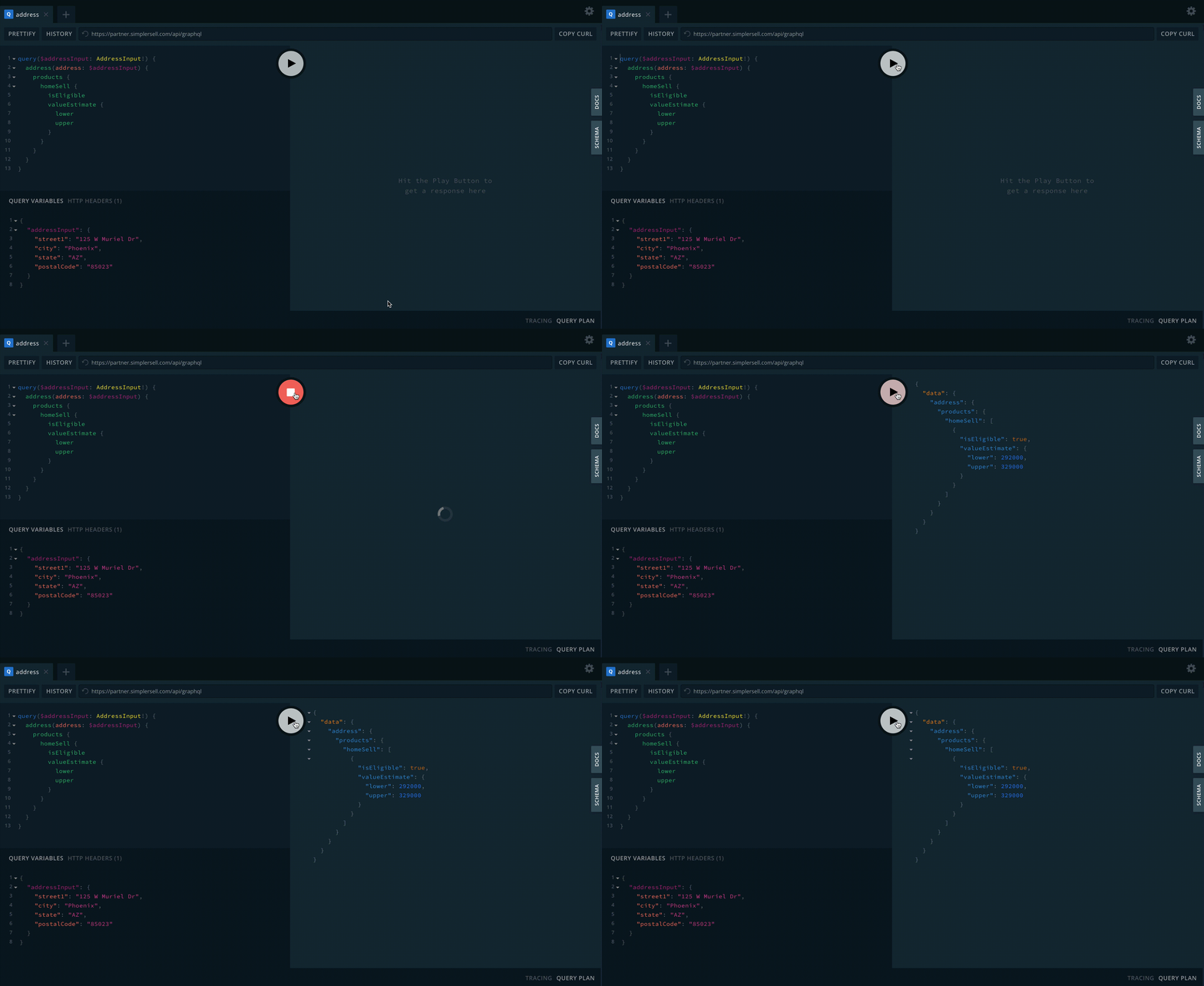
You can add or remove fields so that each client can fetch exactly what they need — all in just one network call. The magic of GraphQL!
Modifying Query Variables
Section titled “Modifying Query Variables”The query variables are even simpler. Try changing the $addressInput to a different address and see what response you get back. Try the address below to begin with.
{ "addressInput": { "street1": "653 Dolores St", "city": "San Francisco", "state": "CA", "postalCode": "94110" }}This time the isEligible field on the response should be false.