
GraphQL
Background
Section titled “Background”GraphQL is a modern query language for APIs. At a high level, it provides a clear description of how a client can ask for data from an API. This allows API developers to be explicit in what their API can do and how to interact with it, which in turn allows for API users to have a clear understanding of what they can get from the API and how to ask for it.
Conceptually, this abstracts away the data resource boundaries so that clients can simply make a request to a single endpoint, ask for the different kinds of data they want, and get that exact data back. This can have a huge impact on development workflow by making the process of fetching data much easier.
Basic Usage and Benefits
Section titled “Basic Usage and Benefits”Declarative Syntax
Section titled “Declarative Syntax”The GraphQL syntax for building requests is very declarative. You build a query by stating the resource(s) you want and the fields/attributes you want. For example, a very simple GraphQL request could look something like this:
{ human(id: 22135) { name age friends { name } }}{ "data": { "human": { "name": "Michael Scott", "age": 48, "friends": [ { "name": "Dwight Schrute" }, { "name": "Jim Halpert" } ] } }}Multiple Resources From One Request
Section titled “Multiple Resources From One Request”Generally speaking, when working with a REST API there is usually one-to-one mapping of data resource -> request. In other words, for data_x you would likely make a request to endpoint /api/data_x. When working with a GraphQL API, however, you make all requests to a single endpoint such as /api/graphql, and with each request you simply state what you want to get back, as shown in the example above. In that request the client is effectively saying:
I want the human who has the id of 22135, and I want you to give me their name, age, and the names of all of their friends.
The server then handles obtaining the data you want from the various sources. This is a powerful abstraction that makes things easier for the client, and leads to fewer round trips and less room for error.
Powerful Type System
Section titled “Powerful Type System”The core of a GraphQL API is its schema. The schema determines what the API provides in terms of data and capabilities. Instead of being organized around different routes like in REST, GraphQL is organized around the data types and fields in the schema.
For example, a basic schema for the use case shown above might look something like this:
type Query {  human(id: Number): Human  # ... any other queries}
type Human {  id: Number  name: String  age: Number  friends: [Human]  # ... any other fields}
# ... any other entities
Using schemas and types to organize an API gives the client more clarity in terms of what the server provides you with. It also makes it easy for a GraphQL server to catch and send informative errors back to the client.
Useful Developer Tools
Section titled “Useful Developer Tools”Another big advantage of GraphQL is the intelligent and interactive GraphQL playgrounds available for developers to use when working with a GraphQL API. This leads to faster and more efficient development workflow. In fact, we have one such playground set up and ready to go for users of our API.
Learn how you can use the playground and more in the next section.
Development Workflow
Section titled “Development Workflow”There are two primary things related to your development workflow that you should setup when working on an apps that will interact with a GraphQL API —
- GraphQL client
- Interactive GraphQL playground
To be clear, neither of these are a requirement. You can build an app that makes calls to a GraphQL client using a normal http request library (e.g. Axios), but a GraphQL client can provide you with a lot of useful things out of the box such as cache management, response pagination, failure handling, and more. Also, you definitely don’t need to use a GraqphQL playground to write your queries, but it can help you find and avoid bugs, especially if you’re new to the language. And, we set one up for you, so you might as well use it.
The Apollo GraphQL Client
Section titled “The Apollo GraphQL Client”Our GraphQL client of choice for a React based application is the Apollo Client.
The Apollo docs linked here can explain how to use it much better than we ever could. However, this is just our suggested client. There are other GraphQL clients out there, and we encourage you to do your research and find the one that works best for your needs. Also, to reiterate, using a client is not necessary. You can make GraphQL requests using vanilla http request libraries (see the resources section for how to do that with a library like Axios).
The GraphQL Playground
Section titled “The GraphQL Playground”The simplest way to make a request to our API during development is by using our development playground that we have already set up for you:
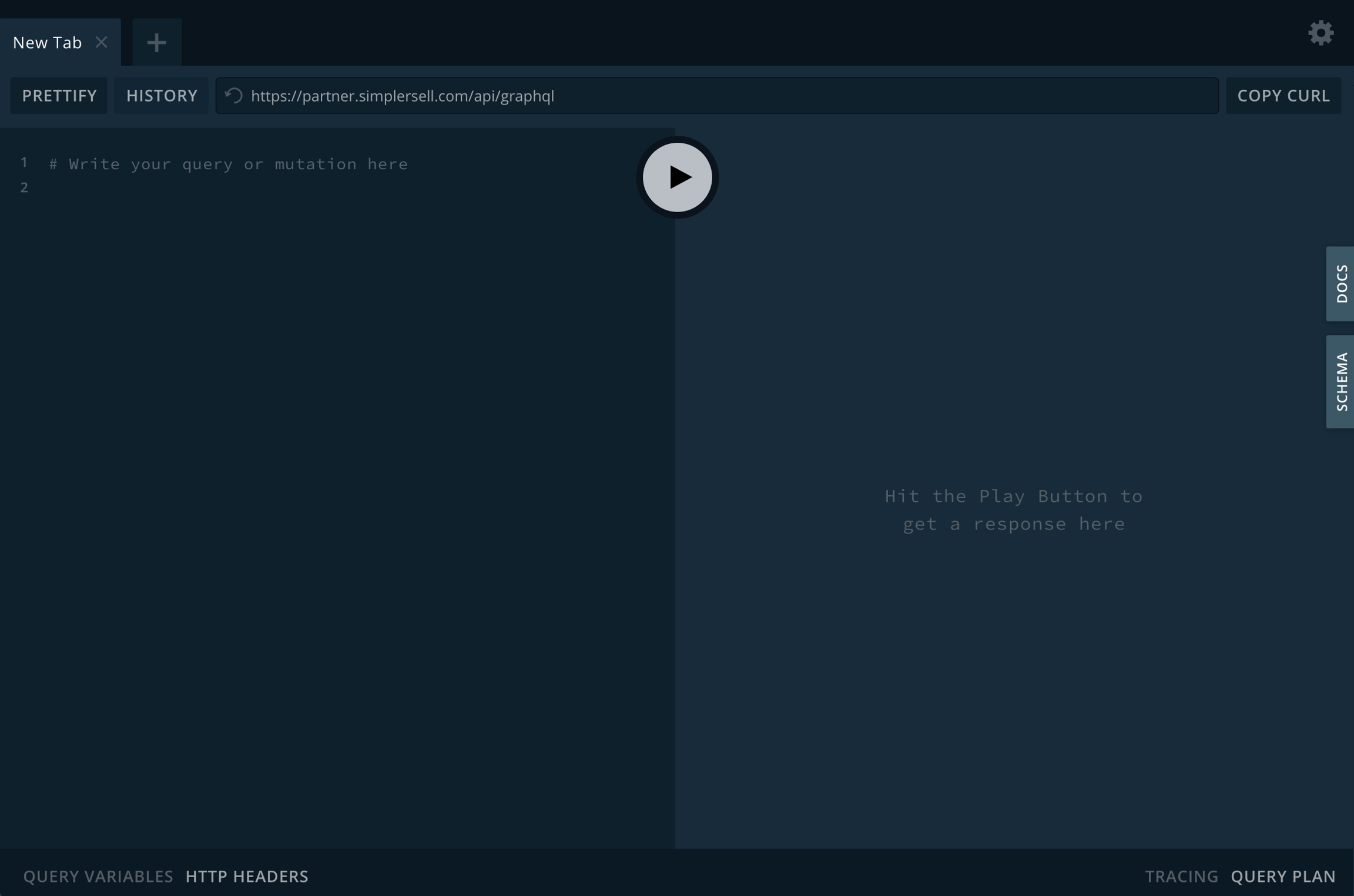
On the left side you can write your query (a request to receive data - analogous to GET in REST world) or your mutation (a request to save or modify data - analogous to POST/PUT/DELETE in REST world). In the bottom left you can add query/mutation variables and HTTP Headers (used to authenticate). The play button in the middle will send the request to our development servers, and the response will appear on the right side.